For 5G

Amrita-5G-XXX(XXX mean Room number For Example Amrita-5G-A101 )
Click to Advanced options

Select Use device Mac for default randomize mac
If you select the randomize MAC option every time, it will automatically change the MAC..

For 2.4G

Amrita-2.4G-XXX(XXX mean Room number Amrita-2.4G-A101)
Click to Advanced options


Select Use device Mac for default randomize mac
If you select the randomize MAC option every time, it will automatically change the MAC..

For Both 2.4G and 5G Default have randomize mac

Attempt to connect primarily to the 5G frequency. Use the 5G frequency to achieve faster speeds.
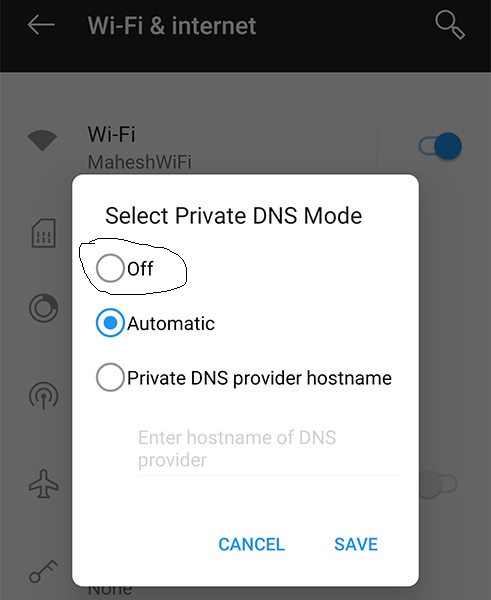
Disabling the private DNS on a mobile device will result in the restoration of internet connectivity.

Password is Amrita@2025





0 Comments